Showing posts with label Tag. Show all posts

Tuesday, March 29, 2022

Watercolor Pine Tree Christmas Tag


Hello! Welcome back to my blog. I am playing with my Karin markers today to give the March's #KarinColors a try. Karin Markers have an IG monthly challenge which I linked below. 

I know that some markers can be be used to color directly to the stamp. I gave this technique a try with Karin Markers, and I am truly amazed by the effect! I used it on a layering stamp, which I have difficulties before. Not anymore! I love the organic look created using the Karin Markers on this layering stamp. 

I am using a watercolor paper. I positioned my stamp to it using the Misti Stamping Tool. I applied the darkest color to the first stamp layer. After I've colored the whole stamp, I spritz some water to it. I wiped the excess water off the Misti Door. I pressed the stamp to the watercolor paper. I dried the impression with a heat tool. I re-positioned the paper on the Misti. I spritz water to the left-over ink on the stamp and re-stamped the image. I repeated the process another time. If you have any areas that need more color, just color that part of the stamp and repeat the process. I did this to all layers. The stamp set, which is from Hero Arts, has 4 pine tree layers. 


Isn't the textured effect amazing? I did the same technique on the tree turnk and the sentiment. 

I die cut the panel into a tag. I blended Tim Holtz Tea Dye Distress Ink to the background to give it a vintage look.

I added a DMC Diamant Metallic thread to the top of the tag. I adhered a Trinity Gold Bauble to the center of the bow. 

I truly had fun creating this tag. I can't wait to try these markers on my other layering stamps or solid stamps. 

I also added below the link to the Trinity Stamp Gold Bauble I used on this card. There will be no additional cost to you should you decide to purchase this product. While you are at the Trinity Stamps website, check out their amazing products including their newly released products. 

Have a blessed, brilliant and creative day!
Maria Giselle B.

 I am sharing this creation at


Thursday, November 4, 2021

Christmas Tags Using Strips And Washi Tape, And first Ever Live Stream


Hello! Welcome back to my blog. Today's project is made as part of my first ever livestream at Debbie J's Crafting Corner YouTube Channel wherein we created Christmas tags.  

I don't have a tag die large enough to fit the tree frame tag. I created one with the use of a rounded rectangle die and a tag die. I die cut a gold, silver and white cardstocks using a rounded rectangle die from Honey Bee Gift Card Present Box Dies. For the tag portion, I die cut this on the same cardstocks using Concord & 9th Bags And Tags Die Set. I adhered a metallic tag die cut to the white tag die cut. 

I added detail to the metallic rectangular die cuts using Li'l Inker Designs Quilted Stitched Pattern. I die cut a window using a Lawn Fawn Stitched Christmas Tree Frames die. I traced the window on the inner side of the white rectangular die cut. I applied the patterned paper strips/washi tape to cover this penciled area. 

For the back of the tag, I stamped to and from using Mama Elephant Confetti Stamp Set.

I die cut more Lawn Fawn Stitched Christmas Tree Frames for additional accent to the tag.

Putting the tag together,  I sandwiched the tag die cut in between the window rectangular piece and the white cardstock. I trimmed off any excess. I adhered the same colored tree frame by piecing it on the tree window. I adhered the contrasting tree frame next. 

I created the sentiment strip by heat embossing the sentiment on a white cardstock using dye inks and Versamark ink. I poured clear embossing powder to this and heat set it. The sentiment is from Simon Says Stamp Abstract Holiday Stamp Set. I die cut this into a strip using Avery Elle Simple Sentiments Elle-ments Die Set.


I added a star gem on top of the tree. I added sequins to the tree. I also added glitters to one of the trees. I threaded a twine through the tag hole. I adhered a bow on the front. 

Preparing for a live stream can be anxiety provoking. There is some pressure on what to create. If not for the live stream, coming up with an idea of a project will not be a difficult task. To overcome this, I took a deep breath, looked at my supplies and pulled out things that I know I will enjoy creating with. But this is just a part of it. The live stream is another challenge. The experience was great. If I am going to do it again, let us just wait and see. 

Thank you for visiting my blog. Have a blessed, brilliant and creative day!

Maria Giselle B.

I am sharing this creation at


Monday, November 16, 2020

Christmas Gift Card Holder Tag


Hello! We have a new challenge at Incy Wincy Designs Challenge Blog. The theme for this challenge is Pockets Or Tags. I created a two in one for this challenge, a pocket and tag in one. 

My patterned paper is from Pebbles Merry, Merry collection. I die cut a tag using solid green and dotted green patterned papers from the collection. The tag die is from Avery Elle A Tag For All Elle-ments die. I partially die cut the green paper which will serve as the pocket. Since I cut off the top portion of the tag, I lost the stitching detail on that end of the rectangle. To add stitching to this end, I positioned this end on the rectangle edge of the die then ran it again through the die cut machine. 

I embellished this panel first before assembling it into a pocket. I heat embossed the sentiments using Simon Says Stamp Believe stamp set. I have not used these stamp sentiments before. I did not notice that these two sentiment stamps have a defect on it. The 'e' on the believe and the 'h' on the small 'the' and 'Christmas' are not the same height as the rest of the letters. So no matter how much re-stamping I did using the Misti, these parts of the sentiment won't leave an inked impression. To connect the letters, I used a Versamark pen on the bold sentiment. I am not good at lettering so my first try in fixing this letterdid not turn out well. For the thin lettered sentiments, the Versamark pen will not work due to its broad tip. So I used a .5 gold gel pen to write the missing parts of the letter h, then poured the same embossing powder to it. The embossing powder I am using is Wow! Metallic Gold Rich Embossing Powder.

I spritz this panel and also added splatters of gold using Prima Color Bloom Tea Stain Spray Mist. I used the corner of a paper tower to pick up the excess ink and set this aside to dry. 


The image I used is from SheepSki Designs. I printed this on kraft cardstock and colored it with Faber-Castell Polychromos. I fussy cut the image leaving a small border around it. I added details to the snow hat with a red Spectrum Noir Sparkle pen, clear Spetrum Noir Sparkle pen and Wow! White Puff Powder embossing powder. For the eyes, I added white Sakura gel pen and black Sakura Glaze pen. For the nose, I added white Sakura gel pen to the two reindeers on the side, and black Sakura Glaze pen with red Stickles to the dog at the middle. I adhered this to the panel with foam adhesive. 

I die cut another patterned paper from the paper pack using Avery Elle Pierced Mat Elle-ments die. I also die cut a white cardstock using this die. I used the We R Memory Keepers Envelope Notch punch to add slots to insert a gift card. On the white cardstock, I stamped the 'to' and 'from' using Tsukineko Delicata Golden Glitz pigment ink. These stamps are from Paper Smooches Merry Motifs stamp set. I set this aside to dry before adhering it to the back of the red striped patterned paper making sure I avoid putting adhesive on the slots. 


I die cut an extra tag using a green cardstock. I adhered this to the back of the dotted patterned paper to make the tag sturdy. I adhered the panel for the pocket to the front of the tag. I placed extra adhesive to the bottom of this pocket to act as a stopper and allow the gift card holder to show on the front.

I added a kraft hole reinforcer on the tag using a die from Paper Smooches Toppers die set then added a ribbon from my stash. 


Thank you for visiting my blog. I hope to see your creations at the challenge blog. Have a blessed brilliant and creative day!

Maria Giselle B.


I am sharing this creation at


Saturday, August 29, 2020

Shaped Tag Using Cricut


Hello! My sons are back to school but all of them are doing virtual learning. My 3rd grader's homeroom teacher is celebrating her birthday today. Since it has only been a week since they started  school, not to forget the current restrictions, there is really no chance for our homeroom parents to plan something for her. So my son & I planned a little something to make her feel special on her day especially during these times.

I am using a free layered apple cut in Cricut Design Space. I wanted to write the sentiment on the top layer using the We R Memory Keepers Foil Quill and do some embossing. I attached the letters to the top apple layer cut. I cut an extra bottom apple layer cut, the whole apple with the leaf, but I flipped this horizontally so I can attach a sentiment and the date using the We R Memory Keepers Foil Quill.

I looked through my cardstock stash to make up the layers of the apple. I transferred two of the layered cuts to another mat to have the Cricut cut three layers in one mat feed. I used the snap mat function of the CDS to be able to move the image to the appropriate colored cardstock. This feature is available only on the CDS app. I enjoy using this feature especially when using my cardstock scrap.

Now, it is time to cut and draw on the top and bottom layers of the apple. Starting off with the top layer, I set up the WRMK Foil Quill. I am using the standard tip pen for Happy Birthday sentiment. I cut the foil a bit larger than the size of the sentiment and taped it to the cardstock. Avoid having the foil touch the stick mat or else you will have foil transferred to your mat. You can fix this by gently scraping it off with a craft knife but if you can avoid having to do it, just make sure the cardstock is larger than the foil.


Back to the project, after the WRMK Foil Quill drew the sentiment, CDS prompted me to change pens. I removed the Quill pen and I changed it to the WRMK Glue pen so I can emboss the recipient's name. I didn't like the look after I heat embossed the teacher's name. It is not smooth looking. I should have used the Ranger Embossing Pen instead. I think the Glue pen works better with glitter than embossing powder.


For the green apple layer, I used the fine tip pen to write the rest of the message.

I adhered the layers and added it to the cupcake packaging using an embroidery floss.

My son's teacher sent a thank you email right away after we delivered her treat to school.

Thank you for visiting my blog. Have a blessed, brilliant and creative day!

Maria Giselle B.

I am sharing this creation at


Wednesday, February 26, 2020

Digi. Stamp With a Little Bit of Foiling, and Stitched Tag


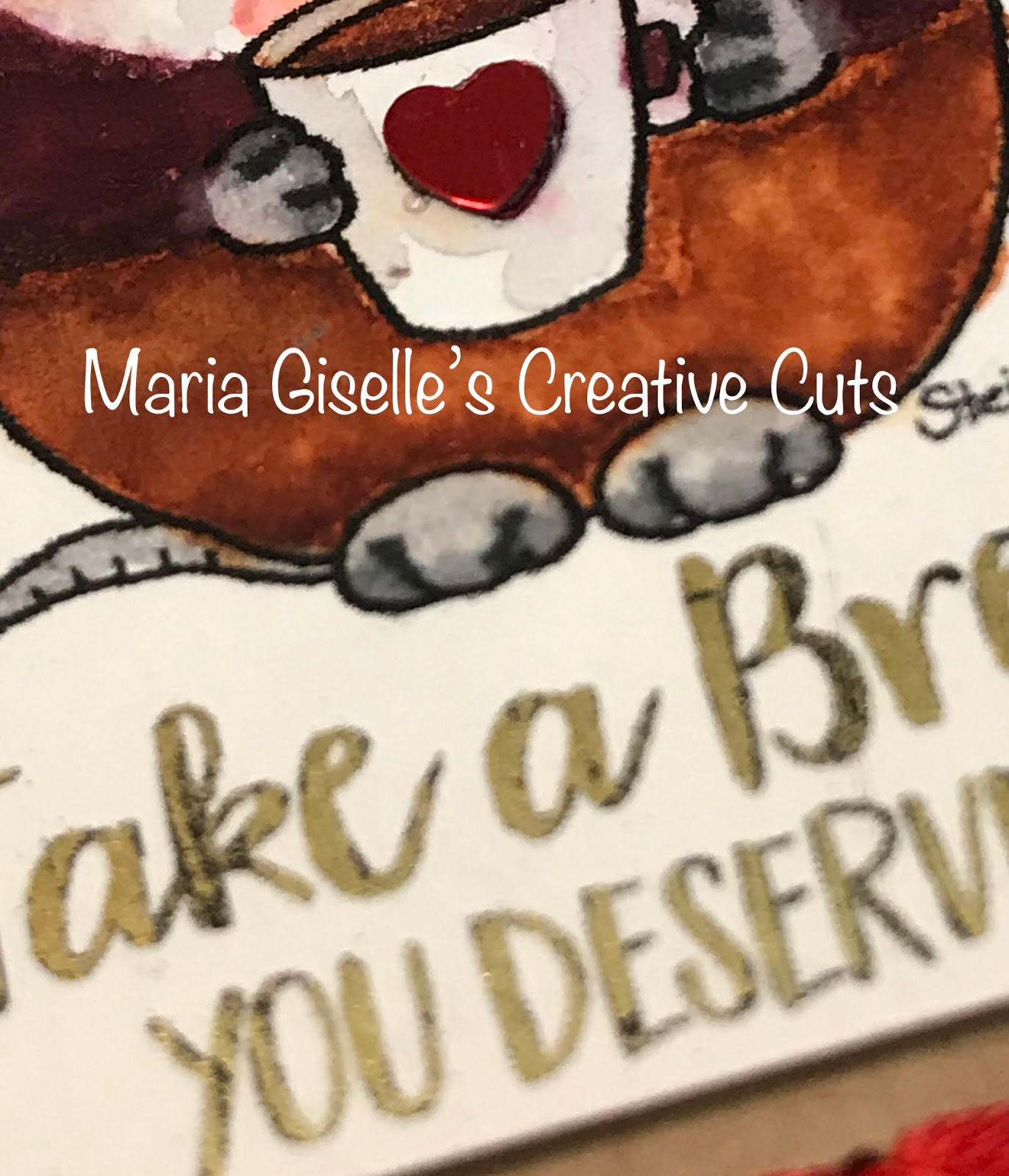
Hello! I created this tag to participate in Gerda Steiner Designs February Share Your Designs Challenge. I am using a Gerda Steiner Digital Stamp Freebie called Coffee Mouse. I had this printed on Neenah Solar White card stock. I colored the image with Akashiya Sai watercolor brush pens. This color medium did not work with the Neenah for me. I had difficulty blending the colors.

I die cut a kraft card stock using a tag die from The Stamp Market. This set also comes with the die that will create the holes for stitching. The holes created were not large enough for the area that I want to stitch on so I ran the tag with this die twice, making sure I lined the hole to the cutting die. I stitched the end holes using a red DMC floss, just to create an outline. I added cross stitching to the bottom of the outline.


I cut a gold foil, large enough to cover the sentiment included on the digital image. I covered the sentiment with the foil, sandwiched this inside a typing paper, and fed it through the Minc machine. I didn't get good foil coverage on my first try. After I repositioned the foil, I fed this again through the Minc machine without much change in results. There is some shimmer. I was just hoping to have all of the sentiment foiled.

I cut the digital stamp panel small enough to fit inside the stitched frame. I adhered this to the tag. I die cut another kraft card stock, and adhered this to the back of the stitched tag to cover the holes and the taped ends of the floss.

I layered a small sequin heart on the cup. I triple tied a bow using a twine and adhered this to the top of the tag.

Thank you for visiting my blog. Have a blessed, brilliant and creative day!

Maria Giselle B.

I am sharing this creation at


Sunday, December 1, 2019

Christmas Wreath Tag


Hello! I created these tags to join Lawn Fawnatics latest challenge. I am using the Lawn Fawn Tiny Tags die, Mini Wreath die and Tiny Tag Sayings on this tag.

I die cut the circle scalloped tag die on navy blue cardstock. I heat embossed the sentiment using Hero Arts silver embossing powder. I also embossed the to and from on another blue scalloped tag die cut using the same embossing powder.

I die cut the wreath on silver glittered foam. I snipped the wreath open and glued it to the side of the scalloped tag. I used the stitched impression as a guide in adhering the wreath. The wreath wasn't long enough so I used another wreath die cut to fill in the whole scalloped edge.

I die cut the bow using red felt. I adhered this to the top of the wreath.


I threaded a Doodlebug twine thru the 'to and from' tag. I adhered this to the back of the wreath tag.

I added Nuvo drops to the wreath for the berries. This is also a good way of hiding the seam of the connected wreath.


Thank you for visiting my blog. Have a blessed, brilliant and creative day!

Maria Giselle B.

I am sharing this creation at


Sunday, August 4, 2019

Three Tags, Three Ways


I created this tag to participate in Pebbles Instagram Challenge on creating a tag using a tool. This is a late post. I submitted my creation to Pebbles first before featuring it here in my blog. I am so happy to share to all of you that I won first in the poll. It is very motivating, I tell you! Unfortunately, I am unable to link it here because the poll was done through IG stories. 
I created this tag using an old Pebbles Christmas collection, Merry, Merry. I used the 3 x 3 cut-apart sheet to be the focal image of the tag. I used a tag die from the Mama Elephant Framed Tags-Union Square die set. This die set enables you to cut a solid square tag, and at the same time, it allows you to cut a window with a cover that is cut on all sides except the top. Instead, this side is scored. 


I die cut a solid square tag and another tag with the window. Before I put the tags together, I stamped the solid square tag using a stamp from the Mama Elephant Confetti stamp set. I stamped this using a gold Tsukineko Delicata pigment ink. After this has dried, I adhered the 3x3 cut aparts to the solid tags. For the green tag, I adhered the window tag straight on, making sure it is aligned. For the ‘Deck the Halls’ tag, I die cut several window tags. I cut off the flap using a craft knife, then adhered this on top of each other to create a recessed look. And, for the snowman tag, I created it into a shaker card. 


To finish the tags, I threaded a thin ribbon through the tag hole. I die cut a white cardstock using Little B Handwritten cutting dies. I added a puffy sticker which is also part of the paper collection.
Thank you for visiting my blog. Have a blessed, brilliant and creative day!

Maria Giselle B.

I am sharing this creation at


Thursday, February 21, 2019

Shaped Wreath Tag


Hello! I am late in posting this creation as part of Incy Wincy Design Challenge on Tag. I have been sick since Sunday. I am progressing well but still have episodes of being weak.


Our sponsor for our challenge is Sparkle N Sprinkle. I printed the image on Ranger watercolor cardstock. I colored the image using Zig Clean Color brush pens. I fussy cut the image leaving a small border around the images. I also cut off the center to create a window. I added Ranger Glossy Accents to the flowers. After this has dried, I added Pretty Pink Posh Buttercream jewels to the flower centers. I created a bow using a satin ribbon. This step took up most of my time in creating this tag. Otherwise, I think this tag would have been done in a jiffy. But I can't let go of the design I have in mind to make the bow 3D. So after multiple tries and technique changes, I was finally able to create one. Whew! I did not know that creating a wreath bow can be this challenging.

For the sentiment, I stamped the Altenew Label Love on a peach cardstock using Versafine Onyx Black ink. I cut the label strip leaving a small border around it. I traced the letters using a peach Sakura Gel pen. I adhered this to the front of the wreath with a foam adhesive.


To add the tag hole, I die cut an acetate using Avery Elle A Tag For All Elle-ments. I adhered this to the back of the wreath with double sided tape. To cover this, I die cut a circle frame using My Favorite Things Circle STAX Die-namics. To make the tag ready for use, I stamped to and from on this circle frame. Both word stamps are from Hero Arts Christmas Tree Color Layering Stamp set. I adhered this circle frame to the back of the wreath. I added a twine to the tag hole.

Thank you for visiting my blog. I hope to see your tag creations. Have a blessed, brilliant and creative day!

Maria Giselle B.


Monday, May 21, 2018

Birthday Tag with Chalk Blended Background


We have a new challenge at Incy Wincy Designs Challenge Blog. Our challenge theme for the next two weeks is on creating an ATC, Tag or Bookmark. One of our sponsors for this challenge is Limited Runs.   I am using an image called Mini Birds-BD Cake.

I printed the image on Neenah Solar white cardstock. I re-sized the image so it will fit a 3"x4" panel once I die cut the cardstock. I am breaking in on my newly purchased Faber-Castell Polychromos color pencil. It was a steal purchase from Michaels since it was on clearance at a very low price. The sad part of it is that this is only the 12 pencil set but I think it is okay since I am just trying this out for the first time. I've seen numerous colorists online who uses this color pencil. I am very curious on how it will match up with the Prismacolor color pencils.


I did not go for any shading on my coloring since I have limited polychromos pencils. I could not challenge myself to just using this brand of color pencils so I did use several Prismacolor color pencils. Looking at the final result, you cannot really differentiate the two brands of color pencils. I think it is how heavy-hand you are in coloring that makes a difference.

I die cut this colored panel using Mama Elephant Peek-a-Frame Creative Cuts die. I did not want to leave the background plain white. I want a touch of color that is light enough not to take the eyes away from the colored images. This is when I used the Inkadinkado Blending Chalks. I have not used this since I got it as a freebie when I bought some re-sale items from my neighbor. So, I am breaking in on this as well. The thing I liked about the chalk is that I had some control on coloring the background especially while coloring around the image. I did not have to put a mask over the colored image. And, the effect is very subtle. It is just the right amount of color.

The sentiment is from My Favorite Things. I stamped this using Versafine Onyx black ink. I did not made a good impression on stamping this sentiment. I hate myself for not using the Misti. I don't want to re-stamp it. I've invested so much time on this that I am afraid to make the impression worse if I re-stamp it. To save it, I used black embossing powder and was thankful of the result. No one will ever know that it was not a perfect stamped impression at the start.


I could have stopped here with an ATC but I wanted to make a tag using this colored panel. I die cut a Martha Stewart yellow cardstock using Avery Elle A Tag for All Elle-ments die. I used a Memory Box stencil to add spots to the tag. At this point, I wasn't sure where I was heading with this so I treated the area with an anti-static pouch before applying Tim Holtz Squeezed Lemonade Distress ink on the stenciled tag. I was going for a tone-on-tone effect which I did not achieve. The good thing about the TH Distress inks is it takes a while before it dries so I was able to pour Wow! Pearl White embossing powder, then heat set it. Now, this is the look I was going for. I adhered the colored panel to this with a fun foam in between for added dimension.


I threaded a ribbon through the tag hole. After I secured it with glue and a twine wrapped once around the ribbon and knotted twice, I created a triple bow and adhered this to the ribbon.

I hope you join us in today's challenge. We cannot wait to see what you create.

Have a blessed, brilliant and creative day!

Maria Giselle 


Monday, January 15, 2018

Shaker Tag


We have a new challenge at Incy Wincy Designs. Our challenge theme is Tag. I am using an image from one of our sponsors for this challenge. Scrap N' Dipity. As soon as I saw these critter images, I fell in love with it. Aren't they cute?!

I sized the images so it will fit inside the window of the fold out tag. I printed the image on Canson watercolor paper. I colored the images using Zig Clean Color markers. I fuzzy cut the image. I ran a black marker around the cut images. I applied a dot of black Ranger Enamel Accents to the eyes. Once this had dried, I added a small dot of white Ranger Enamel Accents over the dried black enamel  dot.

I am using the Mama Elephant Union Square for the tag. The set includes the window die with the fold-up cover, and the solid tag die. Before I snipped these two dies apart, I cut 3 different colored cardstocks using these dies. Having these two dies attached cut out the window die into the solid tag. If you had these dies already snipped apart, just tape both dies together to re-create the cut.

I then snipped off these two dies apart. Using the solid tag die, I die cut color coordinating patterned papers and a white cardstock. I adhered the white tag die cut to the back of the patterned paper tag die cut to make the tag more sturdy. I misted this patterned paper with diluted Pearl Perfect Pearl for a shimmer effect.


Now, back to working on the window die cut. I embossed a star image to the front of fold-up cover. The star is from the Hero Arts Written In The Stars stamp set. I used Wow! White Pearl embossing powder for a subtle look. I embossed the sentiment on top of the embossed star image. The sentiment if from an old Hampton Art/Doodlebug stamp set. I stamped this using different pigment inks, matching the ink colors with the cardstock colors. I embossed this sentiment using clear embossing powder.

I adhered an acetate to the inner side of the window tag using a double adhesive tape. I then applied Darice Adhesive Strips around the window to form a well. I rubbed an anti-static tool to the inner edge of the foam strips. I poured a mix of sequins to the center of the window. I used the Misti Stamping Tool to line up the corners of the window tag and the patterned paper. Yes! The Misti is not only for precision stamping but also for precision alignment. Now the shaker tag is done.


To further embellish the tag, I adhered the fuzzy cut critter to the acetate window. I adhered a triple bowed twine to the top of the tag. These tags are now ready to be attached to a gift or even adhered to a card front as an interactive embellishment.

While working with the Scrap N' Dipity images, another idea that came into my mind is coloring a couple of the same image, fuzzy cut it, and layer it for a dimensional image. Just thinking about it, these images will look cute using this technique. What do you think?

Thank you for visiting my blog. Have a blessed & brilliant day!

Maria Giselle B.


I am sharing this creation


Saturday, December 30, 2017

Tree Shaped Gift Tag


I hope you are having an awesome celebration with you family and friends. I am at work Christmas Eve and looking forward to Christmas Day so I can celebrate it with my family.

I created these tags to attach to the gifts for my family which will be given once I get home from work.


I searched for a Christmas Tree image in Cricut Design Space. This image is a layered cut. I cut the solid layer only. I approximately cut the image about 3"x 8". Initially, I was planning to tuck this in the boys' stockings instead of attaching it to the gift. This is the dimension of the smallest stocking. I cut this tree image on a 12"x 12" patterned paper and a green cardstock.

I was amazed at how I was able to fit all 5 trees in one 12x12 paper. On a previous post, I mentioned how I loved the CDS feature of being able to drag your image to any part of the paper or mat which is a paper and mat saver feature. They added more functions prior to cutting. You can rotate your image, and you can move images from mat to mat. Another paper saver feature! I simply love it! Thanks, Cricut!


Going back to the project, I cut a gold cardstock for the star tree topper using a Lawn Fawn Tiny Tag die. The stamp I used is from the Lawn Fawn Tiny Tag Sayings stamp set. I heat embossed this using white powder.

I was hoping to add an embossed sentiment on the tree but since the patterned paper has a busy pattern, the sentiment was not readable. Instead, I added strips of My Mind's Eye washi tape. To hide the hole created by the die on the star tag, I slid the top of the tree through it, then adhered the star using foam tape. I adhered the green cardstock to the back of the patterned paper to make the tree sturdy. I also adhered a wood grain patterned paper to the trunk of the tree.


As finishing touch, I added drops of gold Nuvo drops to mimic ornaments.

Thank you for visiting my blog. Have a blessed and brilliant day!

Maria Giselle B.